
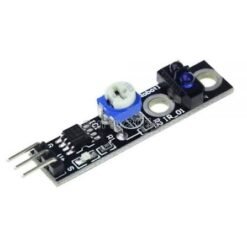
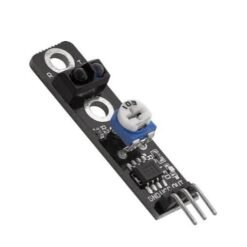
TCRT5000 IR Line Tracking Sensor Module
₵17.00
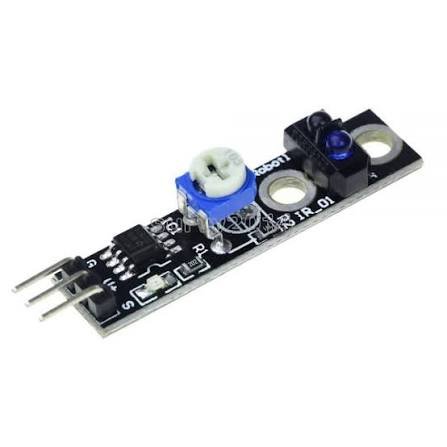
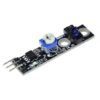
The TCRT5000 IR Line Tracking Sensor Module uses infrared light to tell black lines from white surfaces. That makes it the go-to sensor for Arduino line-following robots. It has an LM393 comparator for a clean digital output, an onboard potentiometer to adjust sensitivity and an indicator LED for easy setup. It runs on 3.5V–5V and also works for obstacle detection, edge detection and object counting.
15 in stock
🚚 Same-day delivery in Kumasi · Next-day nationwide
💳 Pay with MoMo, VISA or bank transfer
The TCRT5000 line tracking sensor has an infrared LED and a phototransistor side by side. The LED shines IR light at the surface below, and the phototransistor measures how much bounces back:
- White or light surfaces reflect a lot of IR, so the sensor detects reflection.
- Black lines or dark surfaces absorb IR, so very little light returns.
An onboard LM393 comparator turns this into a clean digital signal your Arduino can read straight away. Use a potentiometer to fine-tune the sensitivity for different surfaces, lighting and mounting heights.
Put two, three or five of these modules side by side under a robot chassis and you have a complete line follower robot sensor array. It’s one of the most popular sensors for robotics competitions, STEM classes and engineering projects.
Key Features
- TCRT5000 IR reflective sensor. Reliable black/white line detection.
- LM393 comparator. A clean, stable digital output with no flicker.
- Adjustable sensitivity. Tune it with the onboard potentiometer.
- Indicator LED. It shows when reflection is detected, which makes setup easy.
- 3.5V–5V operation. Works with Arduino, ESP32 and other microcontrollers.
- Detection range of about 1–25mm, with the best performance at about 2.5mm.
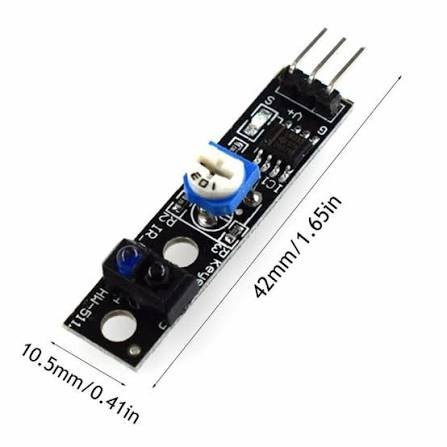
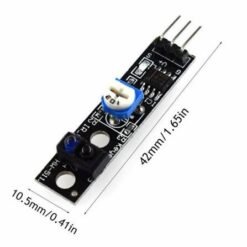
- Compact 32 × 14mm PCB with a mounting hole for easy fixing.
- Multi-purpose. Line tracking, edge detection, obstacle sensing and counting.
Technical Specifications
| Parameter | Value |
|---|---|
| Sensor | TCRT5000 IR reflective sensor |
| Comparator | LM393 |
| Operating voltage | 3.5V – 5V DC |
| Operating current | Approx. 15mA |
| Detection distance | 1 – 25mm (optimal approx. 2.5mm) |
| Output | Digital (DO) |
| Sensitivity | Adjustable via potentiometer |
| Indicator | Output status LED |
| PCB size | 32 × 14mm |
| Overall size | Approx. 38 × 14 × 18mm |
| Mounting | 1 × fixing hole |
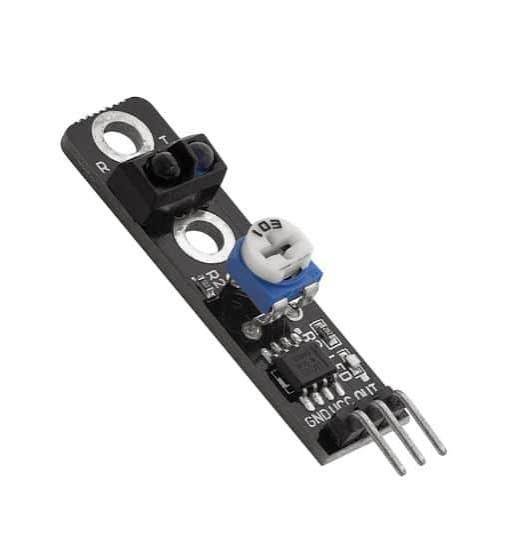
Pinout
| Pin | Function |
|---|---|
| VCC | 3.5V – 5V power |
| GND | Ground |
| DO | Digital output to the Arduino digital pin |
| AO | Analog output (on 4-pin versions) |
Wiring with Arduino Uno
| Sensor Pin | Arduino Pin |
|---|---|
| VCC | 5V |
| GND | GND |
| DO | D2 |
Example Arduino Code
const int sensorPin = 2;

void setup() {
  Serial.begin(9600);
  pinMode(sensorPin, INPUT);
}

void loop() {
  int value = digitalRead(sensorPin);

  if (value == HIGH) {
    Serial.println("Black line detected");
  } else {
    Serial.println("White surface");
  }
  delay(100);
}
Test the module over a black line and a white surface first. If the readings are the wrong way round, swap HIGH and LOW in the code.
Setup Tips
- Mount the sensor 2–10mm above the surface for the most reliable line detection.
- Turn the potentiometer while you hold the sensor over white, then over black, until the LED clearly switches between the two.
- Avoid direct sunlight, which contains IR and can confuse the sensor.
- Use black electrical tape on a white board or floor to make an easy test track.
- For a smooth line follower, use 2–5 sensors in a row.
Applications
- Line-following robots and smart cars
- Robot edge and table-fall detection
- Short-range obstacle detection
- Object counting on conveyors
- Motor RPM and rotation counting (with a black/white marker)
- Paper and object presence detection
- Robotics competitions and STEM projects
Works Great With
- Arduino Uno R3
- Arduino Sensor Shield V5.0
- L298N Motor Driver
- Robot Car Chassis Kit
Package Includes
- 1 × TCRT5000 IR Line Tracking Sensor Module
Be the first to review “TCRT5000 IR Line Tracking Sensor Module”
Related products


Reviews
There are no reviews yet.