
20A Intelligent LCD Solar Charge Controller, 12V/24V Auto (PWM)
₵165.00
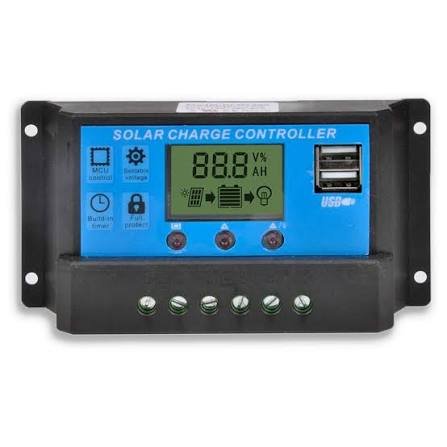
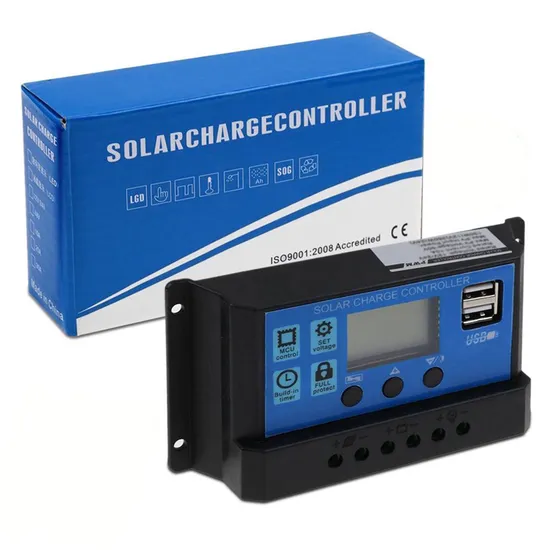
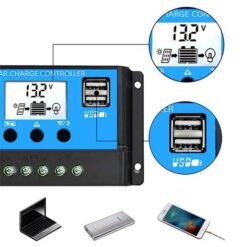
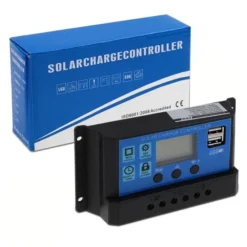
The 20A Intelligent LCD Solar Charge Controller safely charges your battery from solar panels and protects it from overcharging and deep discharge. It detects 12V or 24V systems automatically and supports lead-acid, GEL and AGM batteries. The clear LCD shows battery and charging status at a glance, which makes it ideal for home solar, solar lighting and dumsor backup systems.
3 in stock
🚚 Same-day delivery in Kumasi · Next-day nationwide
💳 Pay with MoMo, VISA or bank transfer
A solar charge controller is the brain of any solar power system. It sits between your solar panel and battery, controls how much current flows into the battery, and stops charging when the battery is full. Without one, your battery can be overcharged, overheated or drained too far, which shortens its life.
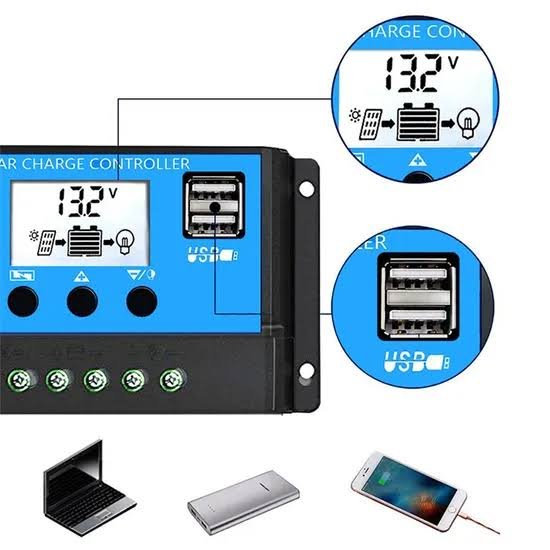
This 20A PWM solar charge controller automatically detects 12V and 24V systems, so setup is simple. Its LCD screen shows battery voltage, charging status and load status, so you always know what your system is doing. Built-in protection and temperature compensation help your batteries last longer, which matters in Ghana’s hot climate.
Key Features
- 20A rated current. Suitable for small and medium solar systems.
- 12V/24V automatic recognition. No manual setup needed.
- PWM charging. Efficient, multi-stage charging that’s gentle on batteries.
- LCD display. Shows battery voltage, charging and load status.
- Supports lead-acid, GEL and AGM batteries.
- Temperature compensation. It adjusts charging for hot or cold conditions.
- Full protection. Overcharge, over-discharge, overload and short-circuit protection.
- Load output terminals. Power DC lights and devices directly.
- Wide operating temperature. Works from -20°C to +55°C.
Technical Specifications
| Parameter | Value |
|---|---|
| Controller type | PWM |
| Rated current | 20A |
| System voltage | 12V / 24V (auto-detect) |
| Supported batteries | Lead-acid, GEL, AGM |
| Display | LCD |
| Protection | Overcharge, over-discharge, overload, short circuit |
| Temperature compensation | Yes |
| Operating temperature | -20°C to +55°C |
What Size Solar Panel Can I Use?
| System Voltage | Maximum Solar Panel Power |
|---|---|
| 12V battery | Up to approx. 240W |
| 24V battery | Up to approx. 480W |
Choose panels whose total current stays below 20A.
How to Connect a Solar Charge Controller
Always connect in this order:
- Battery first. Connect the battery to the battery terminals. The controller detects 12V or 24V.
- Solar panel second. Connect the panel to the PV/solar terminals.
- Load last. Connect your DC lights or devices to the load terminals.
To disconnect, reverse the order: load, then solar panel, then battery.
⚠️ Safety tips:
- Never connect the solar panel before the battery.
- Check polarity (+ and −) carefully before connecting.
- Use cables thick enough for 20A.
- Mount the controller in a shaded, ventilated spot, away from rain.
- Load terminals are for DC devices only. Use an inverter for AC appliances.
Applications
- Home solar systems and solar lighting
- Backup power during dumsor
- Solar street lights and security lights
- CCTV and security camera power
- Shops, kiosks and small businesses
- Farms, boreholes and remote locations
- Solar school and STEM projects
Package Includes
- 1 × 20A Intelligent LCD Solar Charge Controller
Be the first to review “20A Intelligent LCD Solar Charge Controller, 12V/24V Auto (PWM)”
Related products

Reviews
There are no reviews yet.