
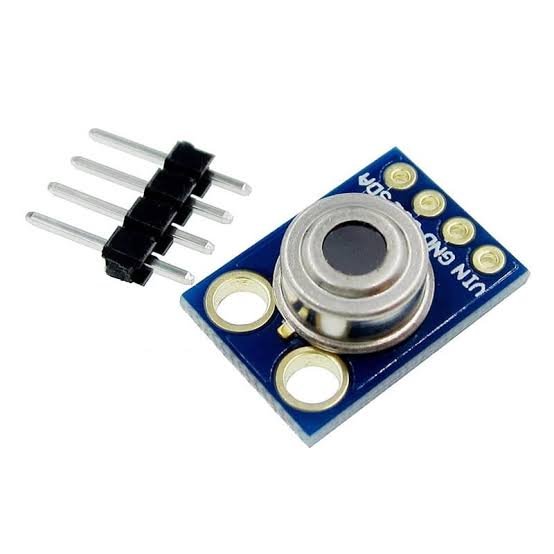
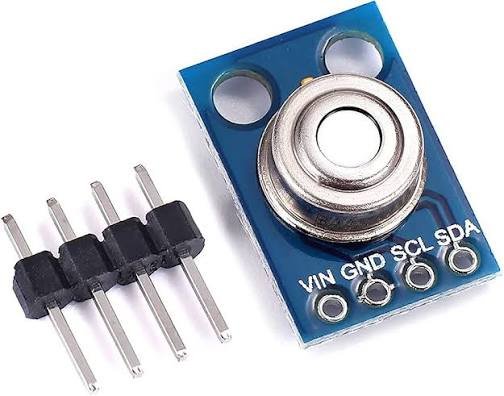
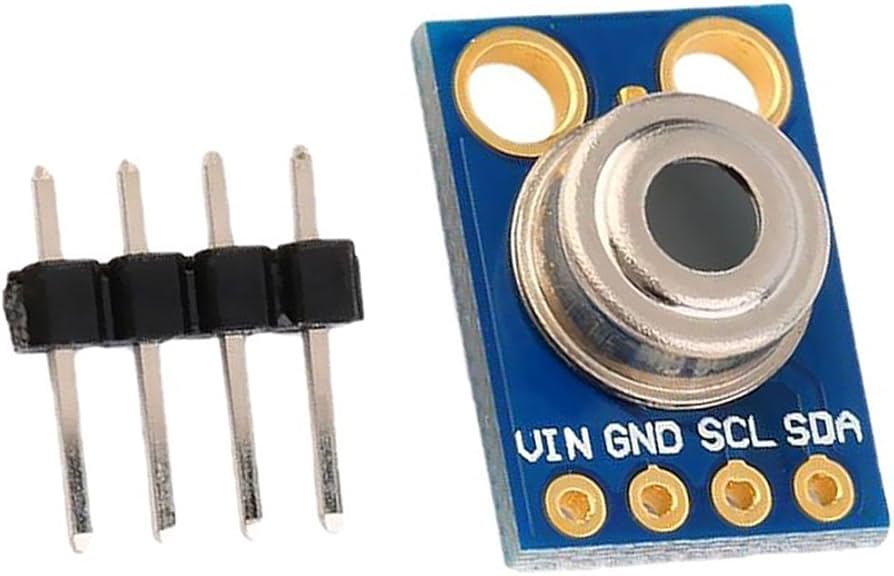
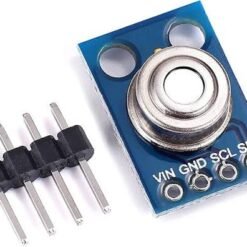
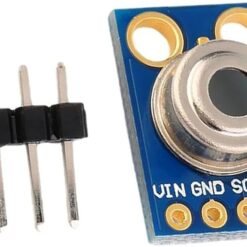
GY-906 MLX90614ESF Non-Contact Infrared Temperature Sensor Module
₵145.00
The GY-906 MLX90614 Infrared Temperature Sensor measures temperature without touching the object. It reads from -70°C to +380°C with 0.02°C resolution and ±0.5°C accuracy. It also measures the surrounding air (ambient) temperature. It connects over I2C to Arduino, ESP32 and Raspberry Pi with just 4 wires. Use it for DIY non-contact thermometers, motor and machine monitoring, cooking and food safety, and smart home projects.
5 in stock
🚚 Same-day delivery in Kumasi · Next-day nationwide
💳 Pay with MoMo, VISA or bank transfer
Every object gives off infrared (IR) energy, and the hotter it is, the more it gives off. The MLX90614 infrared temperature sensor detects this invisible IR radiation and converts it into an accurate temperature reading. You don’t need to touch the object.
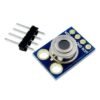
The GY-906 module puts the Melexis MLX90614 sensor on a small, ready-to-use board with the supporting parts already fitted. Connect it to your microcontroller’s I2C pins and you get two temperatures at once:
- Object temperature: the surface the sensor is pointed at (-70°C to +380°C).
- Ambient temperature: the air around the sensor (-40°C to +85°C).
Because it reads from a distance, this non-contact temperature sensor is ideal for objects that are hot, moving, dangerous or hygienic, such as motors, engines, cooking surfaces, electrical panels and people’s foreheads in DIY thermometer projects.
Key Features
- Non-contact measurement. Read the temperature without touching.
- Wide object range: -70°C to +380°C.
- Ambient temperature measurement (-40°C to +85°C) is built in.
- High resolution: 0.02°C.
- Good accuracy: ±0.5°C across common temperatures.
- 35° field of view.
- I2C digital interface. Only 4 wires, and several sensors can share the same bus.
- Low power. About 1.5mA operating current.
- Factory calibrated. Ready to use straight away.
- Works with Arduino, ESP32, ESP8266 and Raspberry Pi.
Technical Specifications
| Parameter | Value |
|---|---|
| Module | GY-906 |
| Sensor | MLX90614ESF-BAA |
| Operating voltage | 3.6V – 5V DC |
| Operating current | Approx. 1.5mA |
| Interface | I2C |
| Object temperature range | -70°C to +380°C |
| Ambient temperature range | -40°C to +85°C |
| Accuracy | ±0.5°C (typical range) |
| Resolution | 0.02°C |
| Field of view | 35° |
| Calibration | Factory calibrated |
Pinout
| Pin | Function |
|---|---|
| VIN | Power (3.6V – 5V) |
| GND | Ground |
| SCL | I2C clock |
| SDA | I2C data |
Wiring
| GY-906 Pin | Arduino Uno | ESP32 |
|---|---|---|
| VIN | 5V | 3.3V / 5V* |
| GND | GND | GND |
| SCL | A5 | GPIO 22 |
| SDA | A4 | GPIO 21 |
*Check your module’s voltage rating before powering it from 3.3V (see the notes below).
Example Arduino Code
Install the Adafruit MLX90614 library from the Arduino Library Manager, then upload:
#include <Wire.h>
#include <Adafruit_MLX90614.h>

Adafruit_MLX90614 mlx = Adafruit_MLX90614();

void setup() {
  Serial.begin(9600);
  if (!mlx.begin()) {
    Serial.println("MLX90614 not found. Check wiring!");
    while (1);
  }
}

void loop() {
  Serial.print("Ambient: ");
  Serial.print(mlx.readAmbientTempC());
  Serial.print(" °C  |  Object: ");
  Serial.print(mlx.readObjectTempC());
  Serial.println(" °C");
  delay(500);
}
Tips for Accurate Readings
- Get close. With a 35° field of view, the sensor reads an area about as wide as its distance from the object. At 5cm it reads a spot about 5cm across. For small objects, hold it 1–5cm away.
- Fill the view. The target should cover the sensor’s whole field of view. Otherwise the background affects the reading.
- Shiny surfaces read low. Polished metal reflects IR. Put a piece of matte black tape on it for accurate results.
- Avoid sudden temperature changes around the sensor itself. Let it settle for a minute after power-up.
- Don’t measure through glass or plastic. IR doesn’t pass through most of them.
Applications
- DIY non-contact thermometers
- Motor, engine and machine temperature monitoring
- Electrical panel and battery hot-spot detection
- Cooking, grilling and food safety checks
- 3D printer bed and nozzle monitoring
- Smart home and HVAC control
- Livestock, poultry and agricultural monitoring
- Fire and overheating alarms
- STEM and final-year engineering projects
Works Great With
- Arduino Uno R3 / Nano
- 1.3″ OLED Display
- ESP32-C6 SuperMini
- Active Buzzer Module (for overheating alarms)
- 3D Printing Service (custom thermometer housings)
Package Includes
- 1 × GY-906 MLX90614ESF Infrared Temperature Sensor Module
Be the first to review “GY-906 MLX90614ESF Non-Contact Infrared Temperature Sensor Module”
Related products


Reviews
There are no reviews yet.