
V5.0 Sensor Shield for Arduino Uno R3
₵30.00
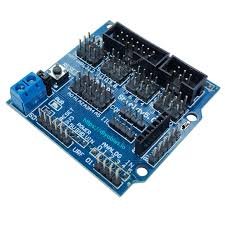
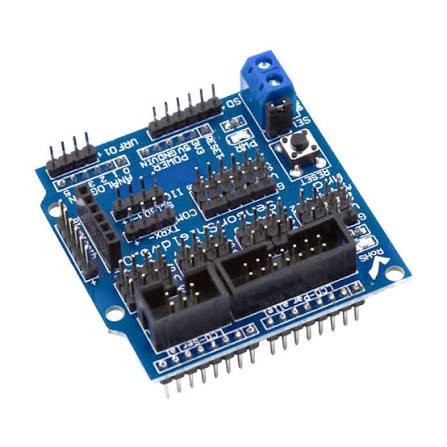
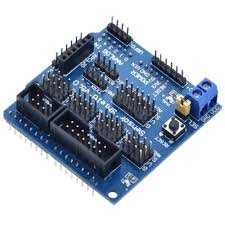
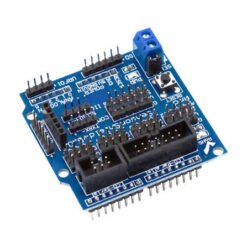
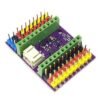
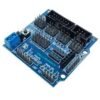
The Arduino Sensor Shield V5.0 plugs straight onto your Arduino Uno R3 and turns every digital and analog pin into an easy 3-pin G-V-S connector (Ground, Voltage, Signal). You can connect sensors, servos and modules directly with jumper wires, with no breadboard or soldering needed. It also has dedicated ports for I2C, Bluetooth, ultrasonic sensors, SD cards and LCDs, plus a separate servo power input
10 in stock
🚚 Same-day delivery in Kumasi · Next-day nationwide
💳 Pay with MoMo, VISA or bank transfer
Wiring several sensors and servos to an Arduino quickly turns into a mess of jumper wires and a crowded breadboard. The Arduino Sensor Shield V5.0 fixes that. It sits on top of your Arduino Uno R3 and breaks out every pin into a neat row of Ground–Voltage–Signal (G-V-S) headers. Each sensor or servo gets its own power, ground and signal pins, so it plugs straight in.
The sensor shield for Arduino Uno also has dedicated sockets for common modules, including I2C devices, Bluetooth, APC220 wireless, ultrasonic sensors, SD cards and 12864 LCD screens. A separate servo power terminal lets you run several servos from an external battery without overloading your Arduino. That makes it a favourite for robotics, robot arms, RC cars and STEM classroom projects.
Key Features
- Fits directly onto the Arduino Uno R3. No wiring needed to attach it.
- G-V-S 3-pin headers for digital pins D0–D13 and analog pins A0–A5.
- No soldering or breadboard needed. Plug sensors and servos straight in.
- Servo-ready PWM pins. Standard servo connectors fit directly.
- Separate servo power input with a jumper. Choose external or Arduino power.
- Dedicated interfaces: I2C, Bluetooth, APC220 RF, ultrasonic, SD card, and 12864 LCD (parallel and serial).
- RS232 (TTL) and RS485 interfaces for serial communication.
- Onboard reset button. Easy to reach with the shield fitted.
- Power LED and Pin 13 LED for quick status checks.
Technical Specifications
| Parameter | Value |
|---|---|
| Compatible board | Arduino Uno R3 |
| Digital I/O breakout | D0 – D13 (G-V-S) |
| Analog input breakout | A0 – A5 (G-V-S) |
| Servo support | PWM pins with standard servo headers |
| Servo power | External terminal with internal/external jumper |
| Communication interfaces | I2C, RS232 (TTL), RS485 |
| Module sockets | Bluetooth, APC220, ultrasonic, SD card, 12864 LCD |
| Reset button | Yes |
| Indicators | Power LED, Pin 13 LED |
What Does G-V-S Mean?
Each pin on the shield has three header pins:
| Label | Meaning | Connect to |
|---|---|---|
| G | Ground | Sensor/servo GND (black/brown wire) |
| V | Voltage (5V) | Sensor/servo VCC (red wire) |
| S | Signal | Sensor/servo signal (yellow/orange/white wire) |
How to Use
- Fit the shield onto your Arduino Uno R3, lining up all the pins carefully.
- Plug in your sensors and servos using the G-V-S headers, and check that the wire colours match.
- For more than 2 servos, connect an external 5–6V battery to the servo power terminal and set the jumper to external power.
- Upload your code as normal through the Arduino USB port.
Tips:
- D0 and D1 are the serial pins. Unplug any Bluetooth module connected to them before uploading code.
- A4 (SDA) and A5 (SCL) are the I2C pins on the Uno. Use the I2C port for OLEDs, LCDs and I2C sensors.
- Use external power for servos so your Arduino doesn’t reset or brown out.
Applications
- Robot arms and multi-servo projects
- Obstacle-avoiding and line-following robots
- Bluetooth-controlled RC cars
- Weather stations and multi-sensor projects
- Data loggers with SD card storage
- STEM, school and final-year engineering projects
Works Great With
- Arduino Uno R3
- SG90 / MG996R Servo Motors
- HC-SR04 Ultrasonic Sensor
- HC-05 Bluetooth Module
- 1.3″ OLED Display
Package Includes
- 1 × Arduino Sensor Shield V5.0
- (Arduino Uno R3 sold separately)
Be the first to review “V5.0 Sensor Shield for Arduino Uno R3”
Related products

Reviews
There are no reviews yet.