

Tutorials
Motion Sensor Alarm with Arduino Uno
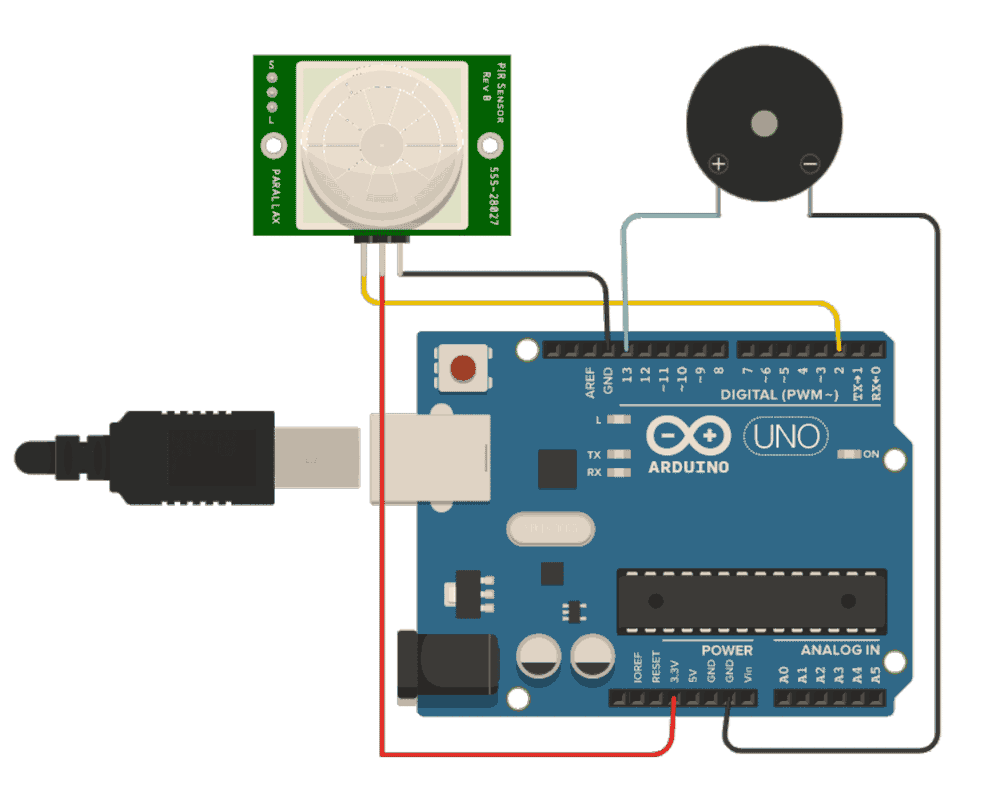
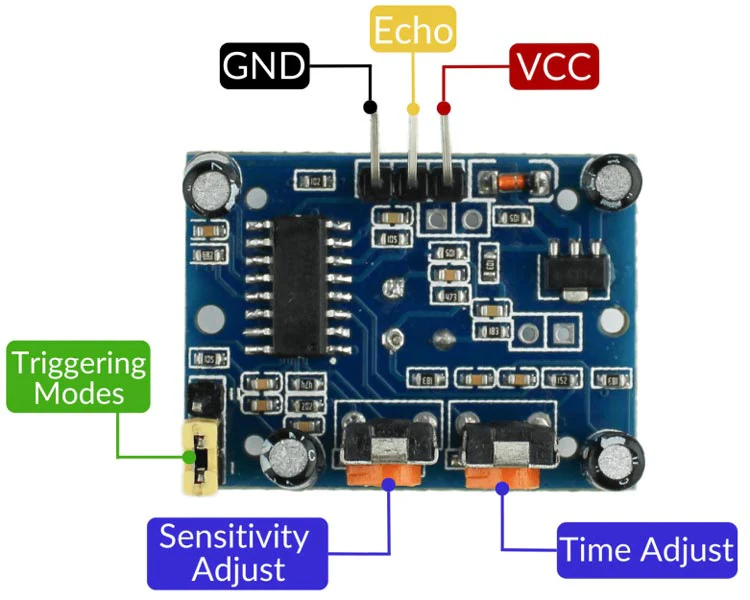
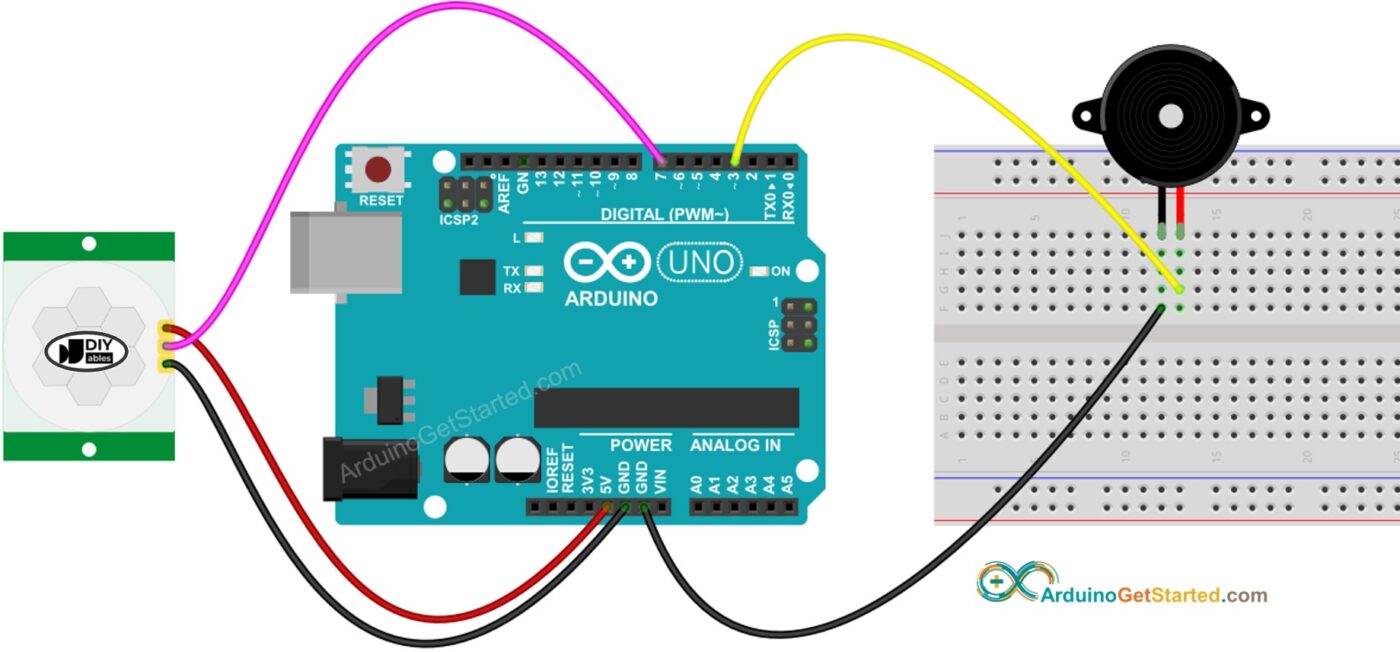
Now that you’ve blinked an LED, let’s build something more practical: a Motion Sensor Alarm. This project uses a PIR (Passive Infrared) sensor to detect movement and trigger a buzzer.
Components Required
- Arduino Uno
- PIR motion sensor (HC-SR501)
- Buzzer (active or passive)
- Jumper wires
- Breadboard (optional)
Step 1: Wiring the Circuit
PIR Sensor Pins:
- VCC → 5V on Arduino
- GND → GND
- OUT → Pin 2
Buzzer:
- Positive (+) → Pin 8
- Negative (-) → GND
Double-check connections before powering up.
Step 2: Upload the Code
Open the Arduino IDE and paste this:
int pirPin = 2;
int buzzer = 8;void setup() {
  pinMode(pirPin, INPUT);
  pinMode(buzzer, OUTPUT);
  Serial.begin(9600);
}void loop() {
  int motion = digitalRead(pirPin);  if (motion == HIGH) {
    digitalWrite(buzzer, HIGH);
    Serial.println("Motion detected!");
    delay(1000);
  } else {
    digitalWrite(buzzer, LOW);
    Serial.println("No motion");
  }
}
Click Upload ▶️
Step 3: How It Works
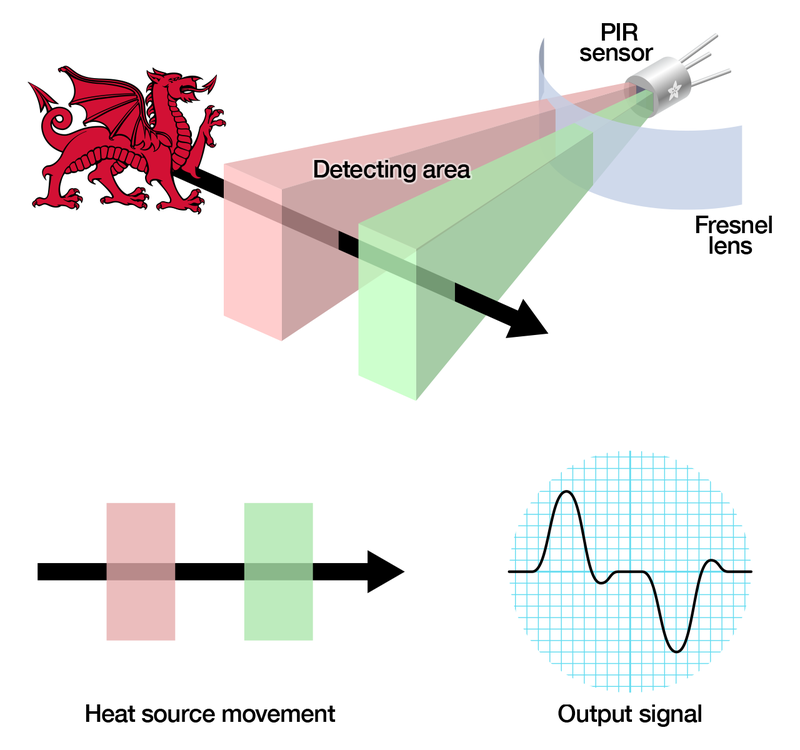
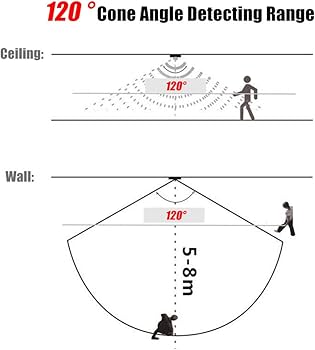
- The PIR sensor detects heat changes (like a moving person)
- When motion is detected, it sends a HIGH signal
- Arduino turns on the buzzer
- When there is no motion, the buzzer stays off
Important Notes
- PIR sensors take 30–60 seconds to stabilize after power-on
- You can adjust:
- Sensitivity (distance)
- Delay time (how long output stays HIGH)
These are controlled by the small knobs on the sensor.
Optional Improvements
- Add an LED indicator (visual alert)
- Send alerts to your phone (using Bluetooth/WiFi modules)
- Use a relay to trigger a real alarm system
- Add a switch to enable/disable the system
Troubleshooting
- ❌ No detection → Check wiring & wait for sensor calibration
- ❌ Buzzer always on → Adjust sensitivity or check code
- ❌ No sound → Confirm buzzer type (active vs passive)
What You Just Built
You now have a basic security system… a big step up from blinking LEDs!
